Features Sample How It Works Pricing Get Started Free
Faceless create · Long-to-short · One dashboard

Create faceless viral shorts from trends — then clip long videos too.

Pick a Google Trend or type any topic. ApexClip writes the script, voices it, aligns captions, and burns a ready Short — first free video in minutes. When you already have long footage, the same app turns it into clip batches for YouTube, TikTok, and Reels.

2
workflows in one
dashboard
10
free credits / mo
to ship Shorts
$15
Starter · $29 Pro
clear pricing
YT·TT·IG
publish when you're
ready to scale
The Problem

No footage. No editor. Still expected to post daily.

Faceless and lean creators need a full Short every day — but scriptwriting, voiceover, captions, B-roll, and publishing are five jobs. Pure clip tools only help if you already recorded a long video.

  • Blank page every time you need a topic
  • Hours on voiceover, captions, and B-roll
  • Clip-only tools useless without source video
  • Juggling 3 apps for create vs. repurpose
The Solution

Create from trends. Clip long form. Same login.

ApexClip starts with faceless create — trends or custom topic → script → TTS → captions → final video. Then long→short repurposing for podcasts, VODs, and uploads. One dashboard at creator-friendly pricing.

  • Trends + custom topic faceless pipeline
  • AI script, multi-voice TTS, timed captions
  • Long video → viral clip extraction second
  • Free plan; Starter $15 · Pro $29
What ApexClip handles

Create faceless Shorts.
Repurpose long videos.

Lead with generation from trends or topics. Clip long footage when you have it.

01

Trends & Custom Topics

Scrape Google Trends or type any idea. Gemini writes a short-form script tuned for hooks, retention, and platform length.

02

Voice, Captions & Burn

TTS voiceover, forced subtitle alignment, watermark/BGM options, and FFmpeg composition into a publish-ready 9:16 Short.

03

Backgrounds That Fit

Stock footage, AI image slideshows, or AI video B-roll — so faceless channels never need a camera crew.

04

Long → Short Clips

Upload or link long videos. Transcribe, segment viral moments, extract clips, and generate text derivatives for social.

05

Multi-Platform Publish

Connect YouTube, TikTok, and Instagram. Schedule or push Shorts/Reels when you are ready — available on paid plans.

06

Brand & Autopilot

Brand kit, caption styles, templates, and (on Pro) batch + autopilot so a solo creator can keep a weekly calendar full.

How it works

First free video in minutes.

Primary path: faceless create. Secondary path: long-to-short.

Step 01

Pick a trend or type a topic

Start from Google Trends scraping or a custom topic. No source footage required — this is the faceless create path most pure clip tools skip.

📈
Step 02

AI script → voice → captions → video

Generate the script, choose a voice, align subtitles, pick backgrounds and BGM, then burn a vertical Short. Edit the script inline before you spend credits.

🎬
Step 03

Or drop a long video to clip

When you already have podcasts, VODs, or uploads, use repurpose/clip workflows to extract viral moments — then publish to YT, TikTok, or IG on paid plans.

✂️
Sample output

What a faceless Short looks like.

Stylized preview of the create path — not a user testimonial, not inflated metrics.
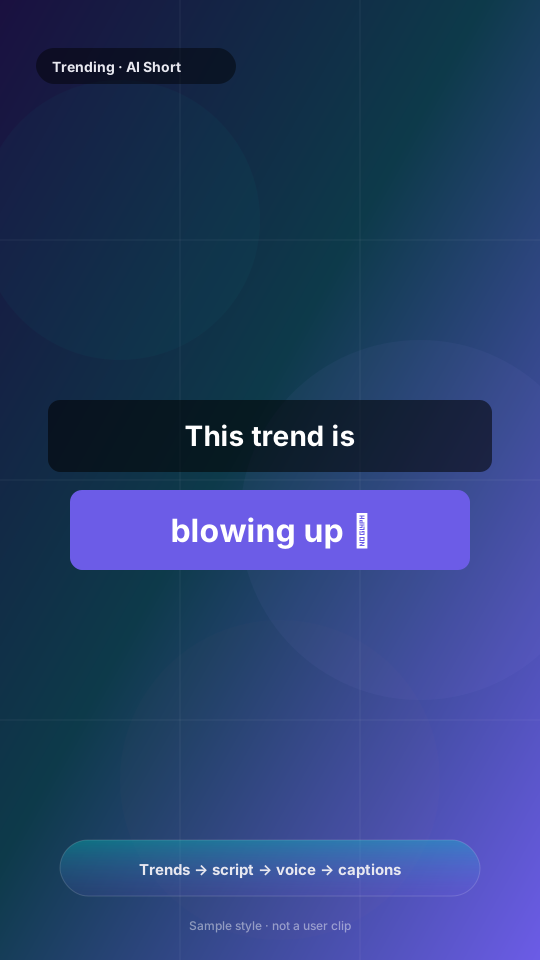
Sample 9:16 faceless short frame with bold captions
Create path (primary)

Trends → script → voice → captions → burn

No camera required. Pick a Google Trend or custom topic, generate a hooky script, voice it with TTS, align captions, and burn a vertical Short. Long→short clipping is the secondary path when you already have footage.

  • 1 Trend or topic in
  • 2 AI script + TTS voice
  • 3 Captions + B-roll / stock
  • 4 Download a 9:16 Short
Make your first free video

Preview is illustrative product styling. Your export uses your script, voice, and brand kit — try the free plan for a real file.

Pricing

Choose your plan.

Start free, upgrade when you need more.

Monthly
Yearly Save 40%
Free
$0 /month
Ship your first Shorts
  • 10 credits / month
  • Trends + custom topic create
  • AI script, TTS, captions, burn
  • Faceless Short pipeline
  • Long-video transcribe
  • YT / TikTok / IG publish
  • Scheduling
  • Batch & teams
Starter
$15 /month
For individual creators
  • 150 credits / month
  • Everything in Free
  • Long → short repurpose
  • 1 brand template
  • YouTube + TikTok + IG
  • Content scheduling
  • Batch processing
  • Teams & autopilot
Pro
$29 /month
For high-volume & teams
  • 500 credits / month
  • Everything in Starter
  • Batch URL processing
  • Teams workspace
  • Autopilot runs
  • Unlimited brand templates
  • AI video backgrounds
  • All future features
Honest comparison

Not just another Opus Clip clone.

Pure long→short tools win when you already have hours of footage. ApexClip is built for creators who still need the video created.

Capability Pure clip tools
e.g. Opus Clip-class
ApexClip
Faceless Short from trends / topic Usually not the core product Primary workflow
Script + TTS + captions + burn Not the job End-to-end create
Long video → viral clips Primary strength Built-in second path
Need source footage to start? Yes No — create first
Entry paid pricing (public tiers) Often ~$15+/mo for clipping Free · $15 Starter · $29 Pro
Best fit Podcasters & streamers with long VODs Faceless / niche channels + creators who also repurpose

We do not invent user counts or testimonials. Try the free plan, export a real Short, then decide. Clip-only products remain better if your only need is scoring moments inside a 2-hour recording — pick the right tool.

Deep dives: ApexClip vs Opus Clip · Faceless Shorts generator guide · Podcast → Shorts · All guides

FAQ

Frequently asked questions.

How is ApexClip different from Opus Clip / pure clippers?+
Clip tools start from a long video you already filmed. ApexClip leads with faceless create: Google Trends or a custom topic → AI script → voiceover → captions → finished Short. Long→short clipping and repurposing live in the same dashboard as a second path — not the only path. Full matrix: ApexClip vs Opus Clip.
Can I get a finished video without source footage?+
Yes. That is the primary workflow. Choose a trend or type a topic, generate a script, pick a TTS voice and backgrounds, then burn. Your first free video should take minutes, not an edit day. Step-by-step: faceless YouTube Shorts generator guide.
Do I need video editing experience?+
No. The create pipeline is form-driven. You can edit the AI script before TTS if you want control, then let burn compose the Short. Clip/repurpose flows are available when you do have long files.
How do credits work?+
Free includes 10 credits/month for basic generation. Starter is 150 credits/month with publish + scheduling + repurpose. Pro is 500 credits/month with batch, teams, and autopilot. Credits reset on a rolling monthly window from your last reset.
Can I cancel anytime?+
Yes. Billing runs through Stripe. Upgrade, downgrade, or cancel from the customer portal in your account settings.

Ship your first free faceless Short today.

Start from a trend or topic. Voice, captions, and burn in one flow — then use long→short when you have footage. No invented social proof. Just the product.

First free Short in minutes No camera · Trends → script → burn
Start free